Wintertime Magic V1 Digital Backgrounds: 3 High-Quality Backdrops
Capturing the perfect winter scene often involves a significant investment in physical props, artificial snow, and controlled studio environments. For photographers and content creators looking to streamline their workflow without sacrificing quality, the Wintertime Magic V1 Digital Backgrounds collection offers a practical, professional solution. This set of three high-quality digital backdrops is designed to save you setup time, money, and valuable storage space, allowing you to create stunning seasonal imagery entirely within your photo editing software.
Understanding Digital Backdrops and Their Practical Application
Digital backdrops are high-resolution image files used as layers in photo editing programs. They function as virtual environments for composite photography, where you combine elements from different photos into a single, cohesive image. The Wintertime Magic V1 collection is specifically crafted for this purpose. Each backdrop is an 8″ x 10″ (3000 × 2400 px) file at 300dpi, ensuring sharp, print-ready results. The files are provided as JPEGs, which are widely compatible and maintain excellent color depth for editing.
The true value of a digital backdrop lies in its versatility and efficiency. Instead of building a physical set for every holiday card, social media post, or client portrait, you can use these digital assets repeatedly. They are compatible with a wide range of software, including Adobe Photoshop, Photoshop Elements, Lightroom (with the ON1 plugin), Paint Shop Pro, PicMonkey, and GIMP. This makes them accessible to both professional photographers using industry-standard tools and hobbyists working with free or subscription-based editors.
Visual Character and Design Cohesion
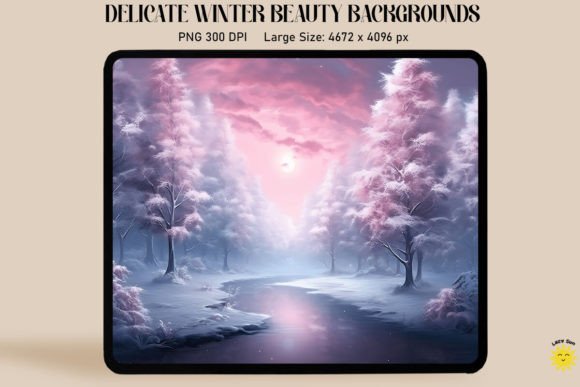
The "Wintertime Magic" collection evokes a specific, cohesive aesthetic. The visual personality is one of serene, classic winter charm. Think soft, diffused light, subtle textures that suggest frost or gentle snowfall, and a color palette that balances cool blues and whites with warm, inviting accents. The style avoids overly cartoonish or garish elements, leaning instead toward a more realistic, painterly quality. This makes the backdrops highly adaptable—they can complement a formal family portrait, a cozy product shot for a small business, or a whimsical image for a blog header.
The appeal for a designer or brand strategist is in this consistency. Using assets from the same collection, like Wintertime Magic V1, helps build a recognizable visual theme across a marketing campaign. Whether the final image is destined for a website hero banner, an Instagram story, or a printed holiday card, the backdrop provides a unifying foundation that enhances brand identity and professional polish.
Strategic Integration into Creative Projects
Knowing where these digital backdrops work best is key to maximizing their return. Their applications span across numerous creative and commercial fields.
- Photography and Portraiture: They are ideal for creating seasonal mini-sessions without location scouting or weather dependency. A photographer can shoot a subject against a simple solid-color backdrop in their studio and later composite the subject into a Wintertime Magic scene, adjusting lighting and shadows to match.
- Marketing and Social Media: Small business owners and marketers can use these backgrounds to quickly create festive promotional graphics, product mockups, or email newsletter headers. A candle, a piece of jewelry, or a gourmet food item can be placed within a winter scene to evoke holiday gifting moods.
- Editorial and Blogging: Bloggers and content creators can design unique featured images for articles, recipe posts, or gift guides. The backdrops add a layer of visual storytelling that a simple text overlay cannot achieve.
- Digital Design and Web: For web designers, these assets can be used to create seasonal website banners, landing page backgrounds, or themed UI elements that refresh a site's look for the holidays.
- Personal Projects and Crafters: Hobbyists can design custom holiday cards, family photo collages, or printable wall art with a professional, store-bought quality.
The influence on the final product is multifaceted. A well-chosen digital backdrop immediately establishes visual hierarchy, drawing the viewer's eye to the main subject. It influences brand perception by conveying a sense of seasonality, care, and attention to detail. For a business, this consistency across platforms builds recognition and can increase audience engagement by tapping into shared seasonal emotions.
A Practical Guide to Selection and Execution
Choosing and using a digital backdrop effectively requires a bit of foresight. Here is a practical approach for evaluating and implementing the Wintertime Magic V1 set.
- Evaluate Project Fit: Before purchasing, consider your primary use case. Does the mood of the backdrop align with your project's tone? The classic, elegant style of this collection suits formal, cozy, or whimsical themes but might not match a high-energy, neon-drenched aesthetic.
- Plan Your Composition: The most critical step happens before you even open your editing software. Plan your compositions beforehand. Consider the angle of your subject's light source. The backdrops have a built-in light direction and shadow logic. For a seamless composite, your subject's lighting must match. Shoot your subject with light coming from the same direction as the highlight in the backdrop.
- Test Font and Element Pairings: If you're adding text—like for a social media graphic or card—test font pairings against the backdrop's complexity. A simple, clean sans serif font often works well over a detailed winter scene to maintain readability. Avoid overly ornate script fonts that might get lost in the texture.
- Review Technical Specifications: Confirm the file size (8″ x 10″ at 300dpi) meets your output needs. For most digital and print projects, this is ideal. If you need a different aspect ratio, you can crop the JPEG file non-destructively in your editor.
- Understand the Licensing: The backdrops are likely sold with a commercial license, allowing you to use them in client work and for products you sell. Always review the specific license agreement to ensure it covers your intended use, especially for large-scale commercial applications.
In practice, using the Wintertime Magic V1 Digital Backgrounds is straightforward. In a program like Photoshop, you would open your subject's photo and the chosen backdrop. Place the backdrop as a new layer below your subject. Use selection tools to remove the original background from your subject's photo. Refine the edges and use adjustment layers to match color tones and add realistic shadows. The process requires some skill in layer-based editing but eliminates the logistical nightmare of physical set construction.
Ultimately, these digital assets are more than just pretty pictures; they are design assets that solve real-world problems of time, cost, and flexibility. They empower creators across the spectrum—from the solo entrepreneur crafting their own marketing materials to the professional photographer expanding their service offerings—to produce high-impact, seasonal visual content with confidence and efficiency. By focusing on practical integration and thoughtful execution, the Wintertime Magic collection becomes a versatile tool in any creative's toolkit.